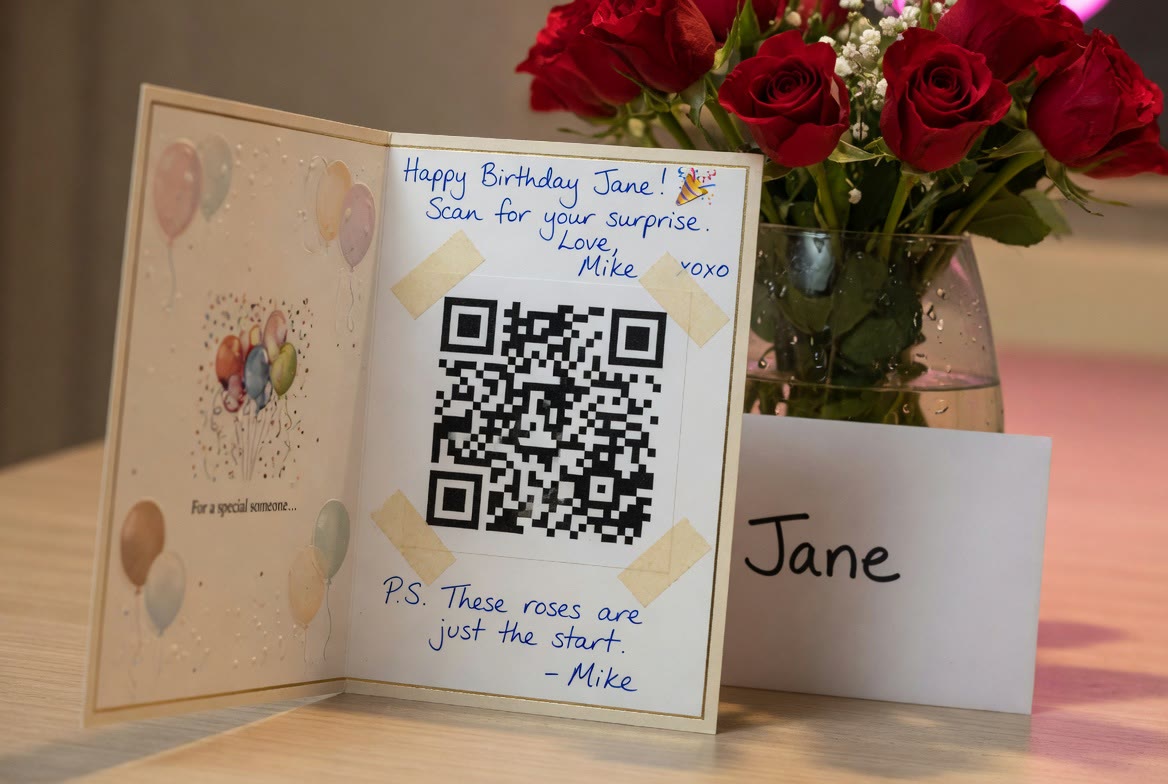
Mike wanted Jane's 30th to feel like more than a dinner and a gift card. The problem: the people who love her most are scattered across three time zones, and only a handful could make it to the party. So instead of asking everyone to fly in, he asked them for something smaller and far more personal — a message.
Two weeks before her birthday, Mike set up a private Heyvento event and sent the link to about twenty of Jane's favourite people: her sister, her university roommate, her first boss, the friends she calls when something goes wrong. The brief was simple — record a 30-second voice note or video saying what Jane means to you. No pressure, no script.
“I expected a few people to do it. Instead I got nineteen messages, and three of them made me cry before Jane had even heard them.”
— Mike, the secret-keeper
The reveal: one QR code, taped inside a card
On the morning of her birthday, Mike printed the event's QR code, trimmed it to a neat square, and taped it inside an ordinary birthday card. He wrote: "Scan this. Everyone has something to say." Jane scanned it over coffee and spent the next twenty minutes laughing and crying her way through a private gallery of people telling her, in their own voices, why she matters.
How Mike did it
- 1
Create a private event
Mike made a new event and kept it private, so only people with the link could find it. He set it up two weeks ahead to give everyone time.
- 2
Share the link quietly
He dropped the guest link into a few group chats and a handful of one-to-one texts, with a one-line brief: record a short voice note or video for Jane.
- 3
Let the messages roll in
Guests opened the link on their phones and recorded straight from the browser — no app to install. Mike watched them arrive in his dashboard.
- 4
Print the QR code
From the event's share screen he printed the QR code, trimmed it, and taped it inside a physical birthday card.
- 5
Hand over the card
Jane scanned the code and unlocked every message in one place — a keepsake she can return to any time, not a moment that disappears.